.svg)
.svg)
.svg)


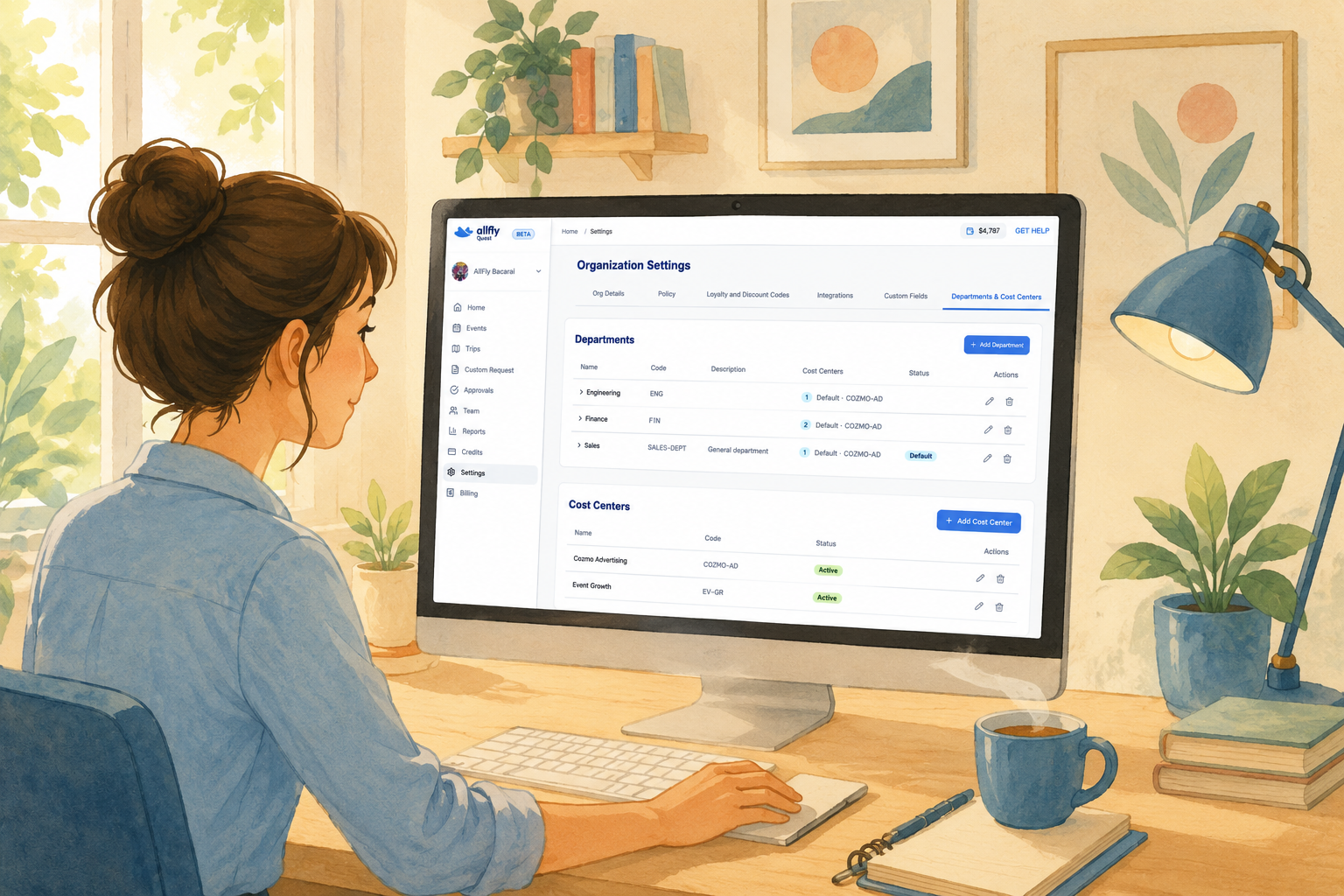
Managing corporate travel logistics just got a massive upgrade. Up until now, every booking inside Quest was attached straight to your overall organization or a specific event.
It worked, but it meant all your spend ended up in one giant bucket. You couldn’t easily break down which department owned which flight, or track budgets for specific projects without doing a mountain of manual work in Excel.
Effective immediately, we’re officially rolling out Departments & Cost Centers to give travel admins, event managers, and finance teams complete visibility and granular control over every single dollar spent.
Here is a breakdown of what’s new inside Quest:
1. Departments for Team Management
- Team Assignment: Easily assign users to their designated departments directly from the updated Team page.
- Integrated Spend Tracking: Automatically track spend by department across all organization-wide reporting.
- Cost Center Selection: Allow users to seamlessly select from their department's cost centers during checkout.
- Tailored Guidelines: Set custom travel policies and budget rules specific to each department.
2. Unlimited Cost Centers & Flexible Checkout
You can now create as many cost centers as your organization needs—whether that’s by internal department (Marketing, Sales, Ops) or by specific initiative (Project A).
- How it works at checkout: When an attendee or employee finishes their booking, a new custom field pops up asking them to select the exact cost center for that trip.
- Why it matters: Instead of guessing where the money went after the fact, the attribution happens automatically before the ticket is even issued.
3. Department-Specific Travel Policies (Policy Scope)
Previously, if different teams needed different travel rules, you had to spin up separate events just to manage the guidelines.
Now, you can set custom travel policies per department under a single event umbrella.
- Executive teams can have a higher budget cap or premium cabin access.
- Regional sales teams can be locked into standard economy parameters.
- Everyone books through the exact same link, but Quest automatically applies the correct rules based on their assigned department.
4. Enhanced Organization-Wide Visibility for Admins
We’ve revamped the Trips and Approvals views to make managing large-scale movement much faster:
- Global Trip View: Admins can effortlessly toggle between viewing “My Trips” and seeing every trip across the entire organization in real time.
- Centralized Approvals: Instantly switch between the approvals you personally need to sign off on and the pending approvals across all departments.
- Bookings Manifest: Track all attributions, cost centers, and department tags directly within your updated Bookings Manifest for clean, audit-ready export data.


Table of Contents











.png)




.png)
.png)


-min.png)
.png)
-min.png)
.png)
-min.png)
.png)



.jpg)